
Protocols and stream addresses as labelled on cameras, encoders and control keyboards, with a check order for cross-vendor work, quantified acceptance figures and fault isolation.
What ONVIF Covers and What It Leaves Out
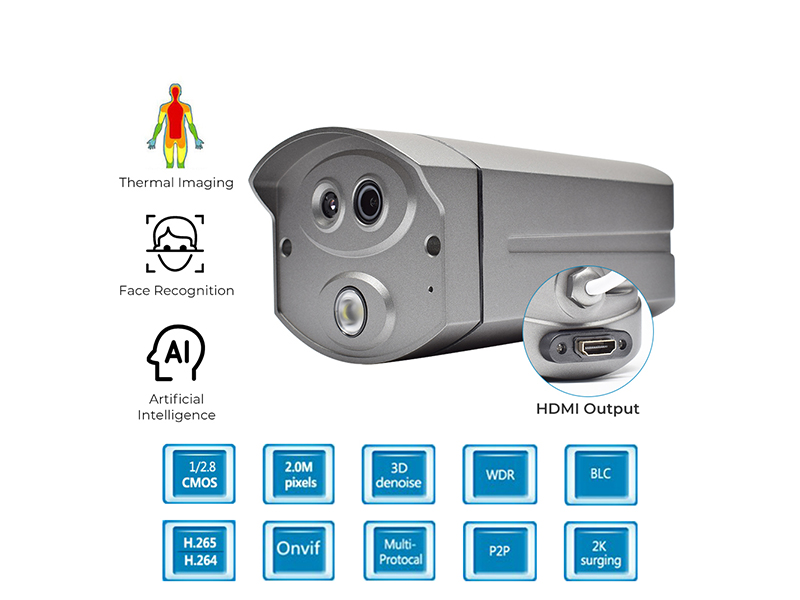
ONVIF is a cross-vendor interoperability protocol family covering device discovery, media stream configuration and PTZ control among other common capabilities. Network front ends and keyboards here generally state ONVIF 2.4: the 3MP and 5MP starlight explosion-proof network cameras and several micro network cameras list ONVIF Version 2.4 with GB28181 support; the 10.1-inch touchscreen 4D joystick control keyboard VDC-KB700-I joins the network under ONVIF 2.4 and holds up to 1024 devices; the LCD control keyboard VDC-KB300-BI also states ONVIF 2.4 and controls 254 network PTZ addresses; the ONVIF row of the 2MP AHD/TVI/CVI to IP video encoder reads standard.
Matching protocols do not mean matching functions. Smart events, private menu items, encoding details and the overlay font library remain vendor implementations. In cross-vendor work do not treat ONVIF support as every function being available; accept on three items only, namely picture, stream and PTZ movement.
RTSP Streams as Measured
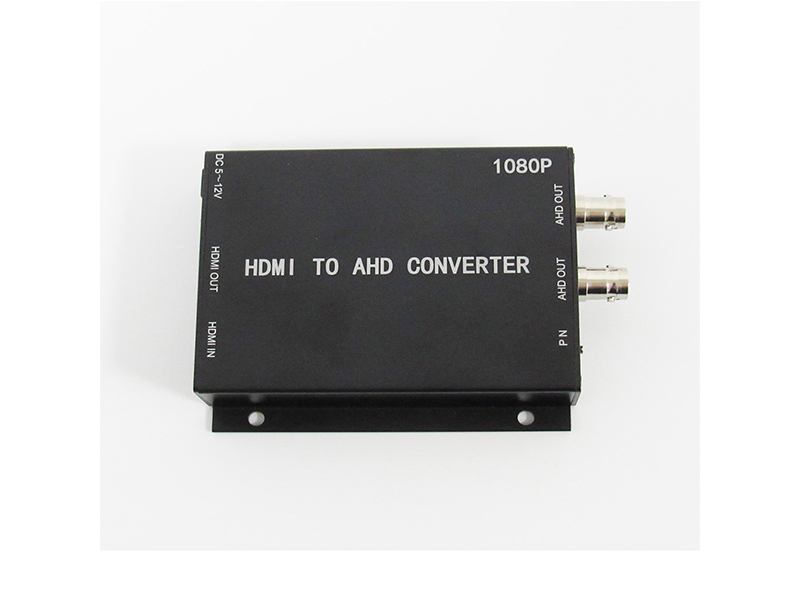
Encoders and cameras ship copyable stream addresses and ports. The table lists values taken from product parameters as an initial reference for integration; the authoritative address is the device's factory label and its web configuration.
| Item | Product labelled value | Integration point |
|---|---|---|
| Main stream address | rtsp://192.168.1.120:554/live/0 (HDMI encoder series) | Port 554; with a firewall in the path confirm it is allowed through first |
| Sub stream address | rtsp://192.168.1.120:554/live/1 | Preview and mobile clients use the sub stream to save bandwidth |
| Stream over HTTP | TS streams at http://192.168.1.120/ts/0 and /ts/1 | Use the HTTP form to verify when no RTSP client is available |
| Default device address | Encoder 192.168.1.120; coaxial-to-IP encoder 192.168.1.219 | Within one subnet, change every address before adding devices |
| Factory account | Username admin; factory password on the printed slip | Replace the default password before going live and record it |
| Bitrate range | H.265 64K to 2048Kbps; H.264 64K to 4096Kbps | Host-side decoding must cover the selected codec |
| High-pixel model bitrate | 32Kbps to 16Mbps (8MP bullet); 0.1Mbps to 12Mbps (12MP) | Budget access bandwidth on the upper limit, not the nominal average |
| Protocol family | HTTP, RTSP, DHCP, NTP, ONVIF, P2P; some models add IPv4/IPv6, HTTPS, 802.1x, RTCP, IGMP | Write down which items the platform needs before integration starts |
| Frame rate and field frequency | 1 to 25fps in a 50Hz environment; 1 to 30fps in 60Hz | The frame-rate ceiling is bound to the PAL or NTSC setting |
Check Order for Cross-Vendor Integration
When integration fails, work the layers in order. This localises the fault to one link instead of cycling hardware, and each layer gets one recorded symptom before you move on.
- Network layer: confirm both ends share one subnet with matching masks and no address conflict, and connect with a direct cable first to rule out the switch.
- Stream layer: pull the main stream straight from its RTSP address; a stream means encoding and the media service are sound.
- Discovery layer: then run ONVIF auto-search, and when nothing is found enter the address and port manually.
- Authentication layer: check username, password and authentication method, and retype passwords containing special characters one character at a time.
- Decoding layer: confirm the host supports the selected H.265 or H.264 band, and drop to a 1080P main stream where needed.
- Time layer: set NTP or synchronise manually; time mismatch makes recording search miss clips.
- PTZ layer: verify direction and zoom through ONVIF PTZ control, and cross-check the keyboard's address and baud-rate settings.
- Stream layer: after adjusting main and sub streams and frame rate, re-measure access bandwidth and storage growth.
Matching the Recorder and the Platform
Against an existing recorder, codec format and host firmware version are the two most common constraints. The H.265 1080P HDMI network encoder states support for Hikvision 78 and 79 series H.265 network video recorders in its parameters. Model-level compatibility lists like this are the basis for verification; protocol names are only a reference, so check the recorder model first when selecting.
Platform cascading and remote access use different protocols. GB28181 links platforms to each other, RTMP and TS streams push video to a media service, P2P serves remote viewing where no public address exists, and RTSP serves third-party client pulls. The encoder lists TCP/IP, UDP, RTSP, ONVIF, HTTP, DNS, RTMP, TS stream and DHCP together, so pick the single chain the platform requires instead of enabling all of them.
Quantified Acceptance Metrics
Write the interoperability sign-off as numbers. Main-stream frame rate at no less than ninety percent of the set value, so a 25fps band measures 22fps or better; single-channel latency stays usable on a local network with no backlog of PTZ commands; access bandwidth keeps a 30% margin after summing every channel's bitrate ceiling, and 8 channels at a 4Mbps main stream total 32Mbps, far below a gigabit uplink; 72 hours of continuous recording with no channel dropout and no gap in the timeline; and playback search that hits by channel and time range.
Storage converts as bitrate times seconds divided by eight. A single 2Mbps channel needs about 21.6GB per day, 4Mbps about 43.2GB per day, and 8Mbps about 86.4GB per day; 16 channels at 4Mbps kept around the clock for 30 days need about 20.7TB. Register per-channel bitrate, daily capacity and retention days in the acceptance sheet so expansion reuses the same figures.
The List to Confirm
Before integration, send the recorder or platform brand, model and firmware version, the required protocol combination, whether GB28181 cascading is required, and the channel count with per-channel bitrate to info@vctcctv.com, or call +86-755-28146081. We verify compatibility by model and can preset default addresses, stream bands and TV-system parameters at the factory.