
Around bringing coaxial-to-IP and HDMI encoders into a recording host, this covers device discovery, stream retrieval, bitrate and frame-rate alignment and PTZ control order.
Where Each Protocol Sits
The network-side division of labor is fixed: device discovery and credential checks are usually done by ONVIF, stream retrieval by RTSP, and the recording host decodes H.264 or H.265 once it has the media address. In the video encoder's specification, the network protocols listed are TCP/IP, UDP, RTSP, ONVIF, HTTP and DNS, and the main-stream retrieval path is written in the datasheet as the live path under port 554, with an HTTP fragmented-stream address also provided.
The coaxial-to-IP encoder supports ONVIF and RTSP the same way, ships with the default address 192.168.1.219, and uses a 10M/100M auto-negotiating RJ45 port. Before onboarding, put the encoder and the recording host on the same subnet and finish the encoding format and bitrate settings through the web management page, then let the host discover the device over ONVIF, so troubleshooting can say plainly whether a problem sits in discovery or in retrieval.
Parameters That Must Be Aligned
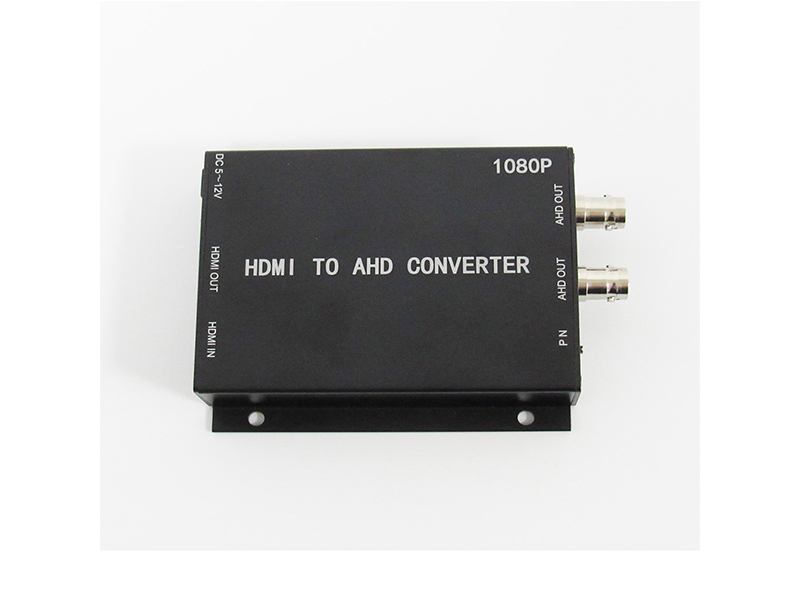
The HDMI encoder VDC-HDMI2IP uses a HiSilicon solution, encodes as H.265 and H.264, supports CBR and VBR within an adjustable range of 64kbps to 12Mbps, lists 1920x1080, 1280x960 and 1280x720 among main-stream resolutions, and adjusts frame rate between 1 and 25 frames under 50Hz and 1 and 30 frames under 60Hz electrical environments. The audio side supports AAC and G.711 at a 48kHz sample rate. These parameters go into one shared sheet on both sides: the encoder side records the current encoding format, bitrate bounds and frame rate, the host side records each channel's allowed decoding specification and recording frame rate, and the table is aligned item by item rather than by experience.
What fails most often when the recording host takes these parameters is the bitrate ceiling and the frame-rate range: pushing the encoder bitrate outside what the host channel allows gives a connection with a frozen picture, and a frame rate mismatched with the host's recording tier shifts playback speed. Before onboarding, write both sides' parameters on one sheet and check each line.
Interoperability Check Order
Checks during onboarding follow the order in the table below, and a failed item blocks the next one, so simultaneous changes cannot hide the cause. Each channel's conclusion goes into the onboarding record against the recorder's channel number, so later retests or device swaps return to the same place instead of starting over.
| Check item | What to confirm | How to handle |
|---|---|---|
| Subnet and address | Encoder and host on the same subnet, no address conflict | Change the encoder address or the host channel address |
| Device discovery | ONVIF port reachable, credentials correct | Reset the account and password and re-add the channel |
| Stream path | Manually pull the RTSP main-stream address to verify | Confirm path and port, test apart from the host first |
| Encoding format | H.265 or H.264 matches the host's decoding capability | Step the encoding format down or move the channel |
| Bitrate and frame rate | Inside the host channel's allowed range | Narrow the bitrate range and sync the frame rate |
| PTZ control | Presets, tours and pattern commands execute | Check the control protocol and address settings |
Control Keyboards and On-Site Verification
Where people operate PTZs manually, pair a network PTZ control keyboard. The VDC-KB700-I combines a 10.1 inch touch screen with a 4D joystick, supports ONVIF 2.4, takes up to 1024 devices, offers PTZ control, presets, tours and pattern functions, and carries RJ45, RS485, RS232 and HDMI output interfaces with 4K@30fps display on DC 12V 2A power. Another LCD keyboard with a 3D joystick suits cases that only need control without local decoding.
On site, verify the encoder and the host together on one test machine before joining the system. A CCTV tester with the Quick ONVIF function logs in automatically and generates a test report, archived together with the acceptance sheet. To request the encoder's management-page configuration guide, or to confirm a specific recording host's compatibility list, email info@vctcctv.com or call +86-755-28146081 with the host model and firmware version.