
Field criteria for coaxial HD and network cameras across cabling, resolution bands, power supply and recorder, plus the converter models that bridge both systems.
Imaging and Transmission Across the Two Product Lines
A coaxial HD camera sends the picture as a baseband signal over 75-ohm coaxial cable. A crimped BNC connector runs straight to the recorder, so the link holds no compression and no negotiation. The 2MP starlight pinhole AHD micro camera VDC-MC01F20NS pairs a 1/3-inch progressive-scan CMOS with a Nextchip 2441 plus SONY IMX307 solution. Its video output selects AHD, TVI or CVI at 1080P, or CVBS at 960H. The TV system switches between PAL and NTSC in the OSD menu. Power is DC12V±10%, unit consumption stays under 5 W, and the body measures 80×Φ20 mm.
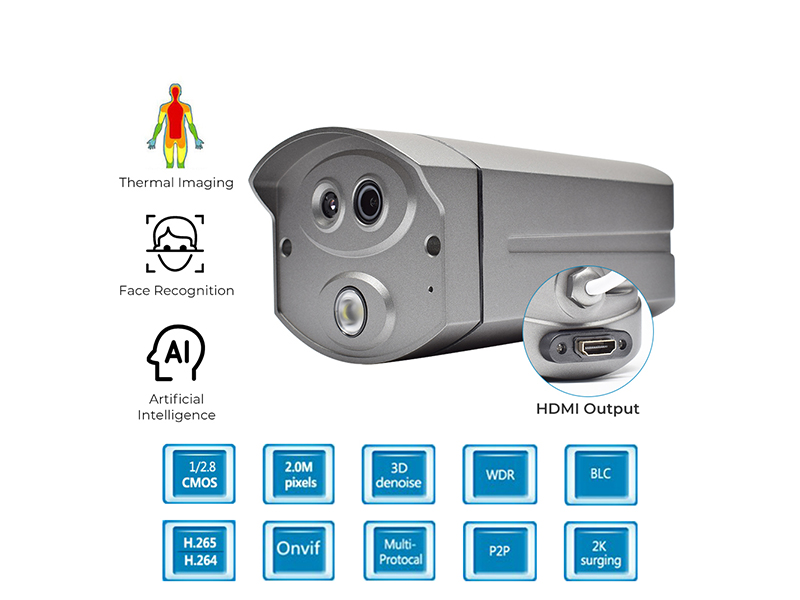
A network camera compresses the picture into an H.265 or H.264 stream first, then hands it to the switch and the network video recorder through an RJ45 10/100M Base-T port. The 8MP AI starlight fixed-focus waterproof bullet camera uses a 1/2.8-inch SONY IMX415. Its main stream runs 3840×2160@20fps and the video bitrate covers 32Kbps to 16Mbps. Power is DC12V±10% or PoE 802.3af, and consumption is again under 5 W. The protocol list carries HTTP, RTSP, DHCP, NTP, ONVIF and P2P. Front-end consumption is close on both lines. The difference sits in link format and in decoding capacity on the recorder side.
Selection Comparison
The table orders the six checks made most often in the field. The left column is the coaxial HD solution, the right column the network solution. Values come from the parameter labels of products sold here, so you can weigh them against existing wiring and recorders directly.
| Check item | Coaxial HD AHD/TVI/CVI | Network camera IP |
|---|---|---|
| Transmission medium | 75-ohm coaxial cable, BNC connector | Cat5e/Cat6 cable, RJ45 port |
| Distance per channel | Converter label rates coaxial transmission up to 300 m | 100 m per cable run, add one switch stage beyond that |
| Resolution bands | 720P, 960H, 1080P, plus 3MP and 5MP input bands | 2MP to 12MP, including 2560×1920, 3840×2160, 4000×3000 |
| Power supply | DC12V±10%, front-end consumption usually under 5 W | DC12V±10% or PoE 802.3af, front end under 5 W |
| Recorder | DVR; channel count and TV system must match the camera | NVR; plan by channel count, bitrate and decoding capacity |
| Expansion | Every added channel needs one more coaxial run to the recorder | Points join the nearest switch and the existing network |
| Reuse of existing wiring | Reuse the coaxial runs directly | Most sites need new network cabling |
| Platform integration | Must be converted to IP before streaming | Native ONVIF, RTSP and P2P support |
Five Rules Decided by Site Conditions
Judge in this order: wiring first, then pixel demand, then the recorder. A CCTV tester measures each coaxial link on site and tells you whether the line is intact, which keeps a wiring fault from being read as a camera fault. Pixel demand sets the resolution band. The recorder sets the interfaces and the TV system. The five rules below match the five site types seen most often in these projects.
- Existing coaxial wiring intact and 1080P is enough: keep the cable, change the front end only. Pick a model supporting the four formats AHD, TVI, CVI and CVBS, such as the 2MP quad-format starlight micro camera VDC-MC02F20NS. It carries UTC coaxial control, so commissioning needs no extra control wire.
- Above 5MP resolution, or human-shape, depth perimeter, vehicle and pedestrian classification detection: pick a network camera, for example the 12MP AI vandal-proof dome at 4000×3000@25fps with a bitrate of 0.1Mbps to 12Mbps.
- The recorder accepts coaxial HD input only and cannot be replaced: stay on the coaxial side, or add a coaxial-to-IP encoder at the recorder and migrate step by step.
- Points spread out with network ports already in the corridor cable tray: go to the network side and power each front end locally with DC12V or PoE 802.3af.
- Pushing pictures to a third-party platform or pulling RTSP streams: the network side only. A coaxial front end has to pass through an encoder to become an IP stream.
Bridging Hardware When Both Systems Coexist
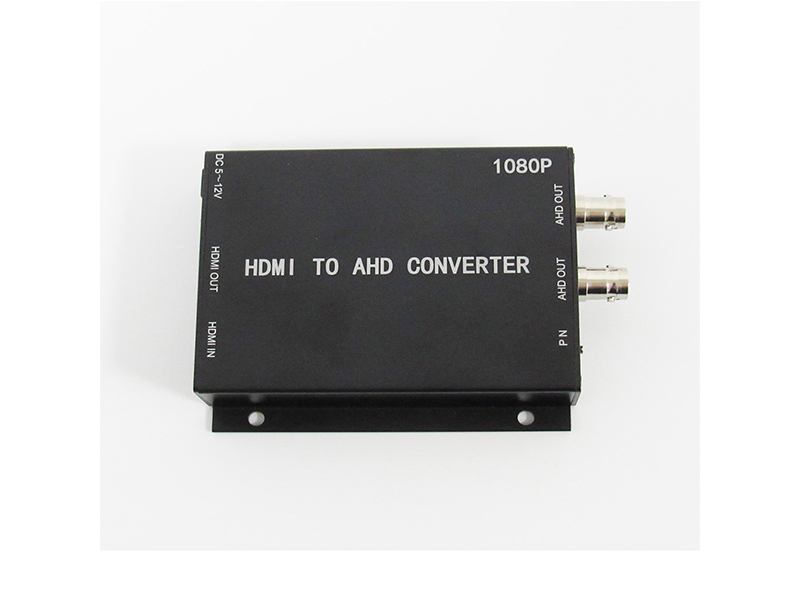
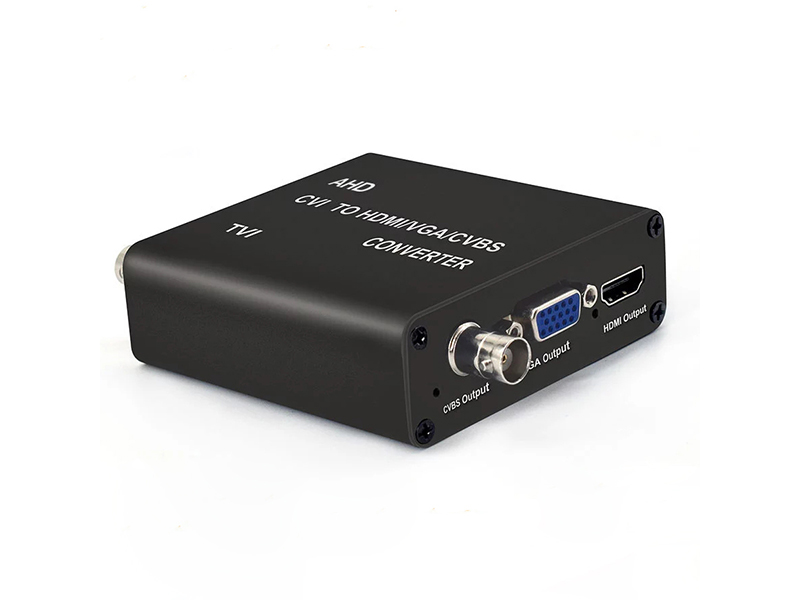
To show coaxial-side video on a wall screen or a PC, use a multi-format video converter. The 5MP AHD/TVI/CVI to HDMI/VGA/CVBS converter accepts 720P at 25, 30, 50 and 60Hz, 1080P at 25 and 30Hz, plus the 3MP and 5MP bands on its input side. It gives one HDMI and one VGA output, digital output at 720P@60Hz or 1080P@60Hz, and composite video compatible with NTSC and PAL. One coaxial loop-out is retained, so the existing DVR can be connected in parallel and display and recording run together. Maximum consumption is 4 W and the body measures 80×84×28 mm.
When front ends have moved up to 8MP, choose the same converter in its 8MP band: coaxial input supports up to 8MP, VGA output still gives 720P@60Hz and 1080P@60Hz, and the coaxial loop-out is retained. To send coaxial video into a PC for recording or remote viewing, use the AHD/TVI/CVI/CVBS to USB3.0 video capture card. Input is BNC, output resolution reaches 1920×1080 at most, frame rate is adjustable from 5 to 60fps, and it follows standard UVC and UAC protocols so no driver is needed. Windows, Linux and Android can all call it. Consumption stays under 3 W.
Low-Light and Night Vision Differences
Most coaxial HD micro cameras carry no IR illuminator, and the IR distance row on the spec sheet reads Null or Color. They rely on external light at night, while colour minimum illumination can reach the 0.001Lux level. In the black-light full-colour VDC series, the 2MP AHD micro camera holds colour at 0.00001Lux with a signal-to-noise ratio of at least 68 dB and a 2.8 mm F2.2 lens, which suits indoor points with faint lighting.
IR is standard on the network side. The 3MP starlight waterproof bullet uses 42 IR LEDs for 35 to 40 m of night vision. The 8MP 10x motorised zoom bullet uses 4 array LEDs with IR at 50 to 70 m, offers optional white light, and supports warm-light and full-colour modes. When selecting, write the farthest target distance into the IR viewing range instead of choosing the model on resolution alone.
Information Needed to Confirm Compatibility
Send the model label from each camera body, the current TV system and resolution band from its menu, the target recorder model, and the measured cable length and cable specification from point to recorder to info@vctcctv.com, or call +86-755-28146081 and state the market of use. We check the parameters and say whether a direct connection works and which converter or encoder band is needed. Shenzhen VIDCOM Technology Co., Ltd. runs its own production line and supports OEM customisation of housing, silkscreen, lens focal length, IR board, cable length and firmware parameter presets.