
For projects with existing coaxial wiring and ageing DVRs: front-end swap only, coaxial-to-IP encoders, or a parallel converter, with hardware parameters, work order and network planning.
Three Things to Confirm Before the Works
The first is wiring. Confirm whether the tray holds 75-ohm coaxial cable, network cable, or a mix of both. Measure the real length of every point back to the recorder end and note whether any T joints or unused spare branches sit along the way. Reusing this cable is exactly what the coaxial-to-IP method is for, so line condition decides the resolution band held after the retrofit.
The second is front-end format and pixels. Establish whether the existing cameras output AHD, TVI, CVI or CVBS, whether the menu is set to PAL or NTSC, and whether the band is 1080P or 960H. The 2MP AHD/TVI/CVI to IP video encoder auto-adapts to all three HD coaxial formats and to PAL/NTSC, with a maximum encoding resolution of 2MP. Once front-end pixels exceed 2MP, this route no longer applies.
The third is the recorder. Check whether the DVR still has free channels, whether any channel is already damaged, and whether video output must continue during the works. These three answers decide which route to take and whether the retrofit can be split by zone and batch.
Three Routes and Hardware Parameters
The table sets out the three routes with their hardware, applicable conditions and site notes. Real projects often mix them, for example adding encoders first to keep the DVR recording, then swapping to network front ends zone by zone.
| Route | Hardware and key parameters | Applicable condition | Site note |
|---|---|---|---|
| New front end, same cable | Quad-format starlight micro camera VDC-MC02F20NS: AHD/TVI/CVI 1080P and CVBS 960H, UTC coaxial control, DC12V±10%, under 5 W | DVR channels intact and 1080P pixels sufficient | Align the menu TV system with the recorder; tune parameters over the coaxial line with no control wire |
| Keep cable and front end, add encoders | 2MP AHD/TVI/CVI to IP encoder, H.264/H.265, RJ45 10/100M, standard ONVIF and RTSP, default IP 192.168.1.219, DC12V 1A, about 1 W per unit | DVR channels damaged, or NVR and platform access required | Mount the encoder at the camera side, take video over the original coaxial line, and gather network cable back to the equipment room |
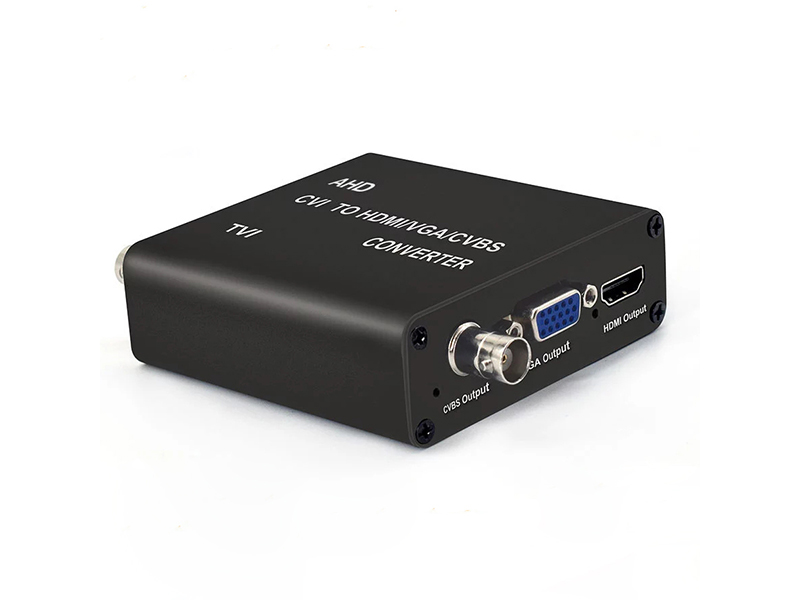
| Display and recording in parallel | 5MP coaxial converter, coaxial loop-out into the original DVR, HDMI and VGA output at 720P@60Hz or 1080P@60Hz, maximum consumption 4 W | Control room needs a wall screen while the recorder must not stop recording | The loop-out is a direct pass-through; watch coaxial attenuation after multi-stage cascading |
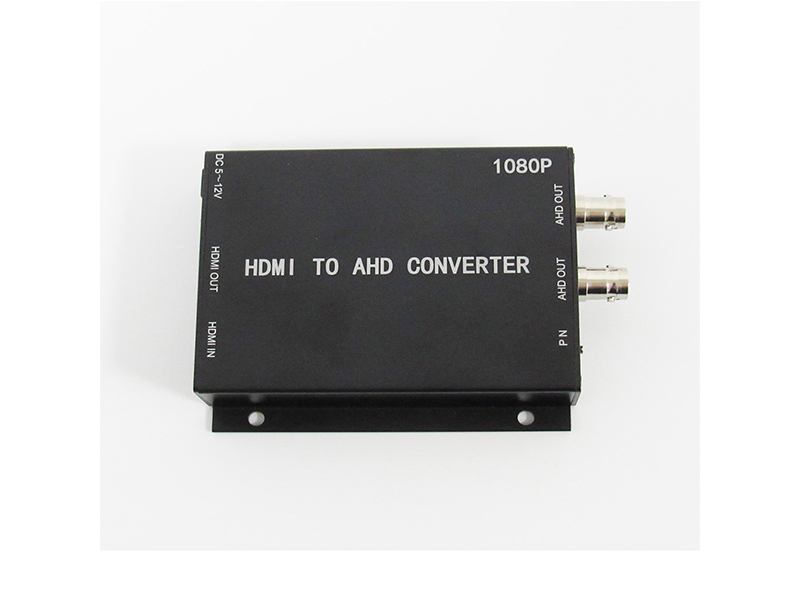
| Digital video into the recorder | HDMI-to-AHD converter, AHD output 1080P 25/30, dual BNC, wide DC 5 to 12 V supply | Meeting-room or PC video must reach the DVR | Position P maps to PAL 1080P@25, position N maps to NTSC 1080P@30 |
| PC viewing and recording | AHD/TVI/CVI/CVBS to USB3.0 capture card, driver-free UVC/UAC, up to 1920×1080, frame rate 5 to 60fps | Lecture recording, livestreaming or temporary watch duty | Plug into a USB 3.0 port and avoid sharing one hub with multiple cameras |
Rechecking Wiring and Power
On the coaxial side, calculate against a 300 m ceiling. The 5MP AHD/TVI/CVI to HDMI/VGA/CVBS converter is labelled for up to 300 m of coaxial transmission, which is an input-side figure; the real distance depends on conductor gauge, connector workmanship and branch count, so re-measure every channel after the retrofit. On the network side, hold a single run to 100 m. The encoder port is 10M/100M auto-negotiating; when a link only reaches 100 Mbps, inspect the cable before replacing hardware.
On the power side the encoder takes DC12V 1A and draws about 1 W, while micro and network camera front ends are generally under 5 W. With centralised supply, add up the per-channel consumption and keep a 30% margin. Long low-voltage runs need a voltage-drop calculation, and the far-end voltage must stay at or above 10.8 V to satisfy the DC12V±10% label. The 1080P H.265 HDMI encoder in its PoE version accepts DC 12 V or power over ethernet, so choose that version for points where local supply is inconvenient.
Work Order for Joining the NVR
Encoders leave the factory on the same default address, so within one network you must change them channel by channel before adding them to the recorder; otherwise provisioning ends in address conflicts and channel jumps. Execute the checklist below and log each completed step so any rework stays contained.
- Bring up one channel at a time: connect a single camera plus encoder first and confirm the picture and the TV system.
- Unify the address plan: assign IP addresses by zone. The encoder defaults to 192.168.1.219 and the HDMI encoder to 192.168.1.120; change every unit and register it in a sheet.
- Replace the factory account: encoders ship with the username admin. Change the default password before going live.
- Aggregate at the switch: front-end network cable enters the access switch, which uplinks to the segment holding the recorder.
- Add over ONVIF: use auto-search or a manual address on the NVR and keep the authentication method and port at their defaults.
- Set main and sub streams: record the main stream at 1920×1080 and use 1280×720 for the sub stream on preview and mobile clients.
- Check bitrate and storage: budget the H.264 single channel at the 4096Kbps ceiling; 8 channels around the clock for 30 days need about 10.4TB.
- Verify recordings: play back once and confirm the time range and channel names before removing the previous zone's old wiring.
Acceptance Thresholds for a Mixed Retrofit
Judge completion on four sets of numbers rather than on whether an image appears: whether each channel's actual resolution band matches the front-end rating; whether the main-stream bitrate holds near the set value instead of being auto-downgraded; whether the farthest coaxial point shows snow or colour shift under full load; and whether the channel list and timeline stay complete after 72 hours of continuous recording. Archive the measured data so later expansions reuse the same bands and address plan.
Customisation and Confirmation
The same encoder model is often asked to carry preset default addresses, a preset default TV system and a target bitrate. Shenzhen VIDCOM Technology Co., Ltd. supports firmware parameter presets as well as custom cable lengths, silkscreen and housing. Send the channel count, the current camera model list, the target recorder model and the wiring types you want to keep to info@vctcctv.com, or call +86-755-28146081. We return hardware quantities and band suggestions based on the channel count.